Our Approach
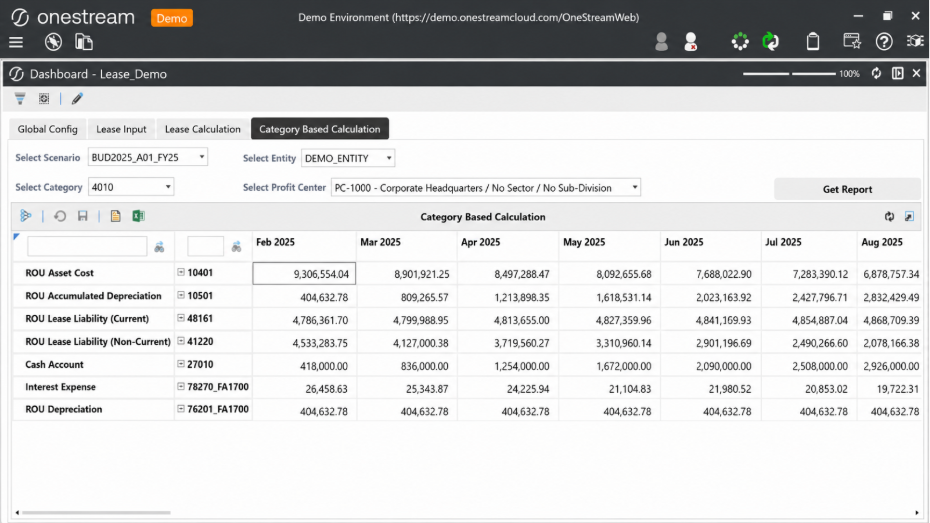
A dedicated Lease Planning framework was designed inside OneStream, built around a planning cube called Plan_Lease_New, which acts as the central input layer for lease assumptions.
Design principles
- One governed planning cube replacing disconnected spreadsheet-based lease models.
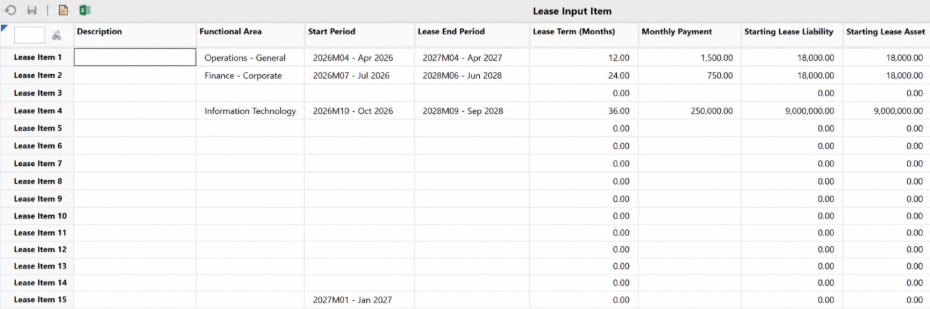
- Users maintain key lease drivers – item, monthly payment, start period, lease months, functional area, country, profit center, category, and scenario.
- Calculation logic generates the full lease schedule month by month and pushes results to the required reporting cube intersections.
- Design keeps lease planning fully inside OneStream, improving control and removing dependency on external calculation files
What was implemented
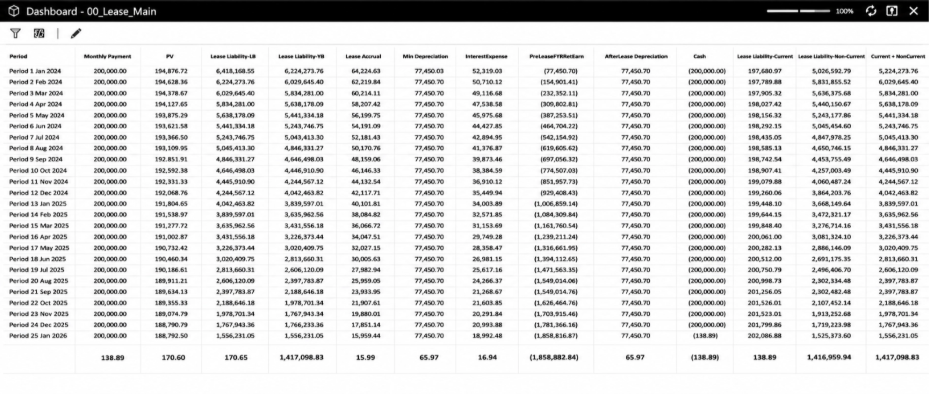
The solution calculates the full lease accounting flow at a monthly level, calculating and storing values for cash value,]ROU depreciation and accumulated depreciation, ROU asset balance, lease opening and closing balance, interest expense, principal reduction, and the current/non-current lease liability split. Each calculated value is written back to the correct OneStream intersection so the output can be used for reporting, analysis, forecasting, and downstream finance processes.
Calculating only active leases
Rather than looping through every possible dimensional combination, the logic was designed to focus only on active lease records where valid input data exists. A planning cube can contain a very large number of potential
intersections, but only a small percentage typically contains real lease input data – processing every combination would create unnecessary load and slow the calculation. Filtering to active leases only improved calculation turnaround time by around 40% compared with a broad-looping approach.
Solving the data overwrite issue
Multiple lease items can share similar attributes – the same Entity, Profit Center, Country, Scenario, or Category. If the calculation writes data at an incomplete intersection, one lease item can overwrite another lease item’s
calculated output. The save logic was improved so each lease is calculated and stored at its own complete dimensional intersection: Lease 1 remains Lease 1, Lease 2 remains Lease 2, and both exist together without replacing each other. This directly improved data integrity and user confidence in the results.
Performance optimization using Data Buffer
To support larger data volumes, OneStream’s Data Buffer approach was used where appropriate. Instead of relying only on repeated single-cell reads, Data Buffer allowed the rule to read and process larger sets of active data more
efficiently, improving performance when processing multiple leases across multiple months and dimensional combinations.
Calculation design pattern
| Step |
What happens |
| 1. Read input |
Read active lease input data from the Plan_Lease_New cube |
| 2. Identify records |
Identify valid lease records with complete assumptions |
| 3. Loop scope |
Loop only through applicable lease months, not the full dimensional grid |
| 4. Calculate |
Calculate accounting outputs – cash, ROU, interest, liability balances |
| 5. Save |
Save results to the correct reporting cube intersections |
| 6. Validate |
Validate missing mappings or invalid period selections before posting |
Validation and control checks
- Logic prevents users from entering invalid lease start or end periods, avoiding incorrect schedules from wrong period selection or negative duration.
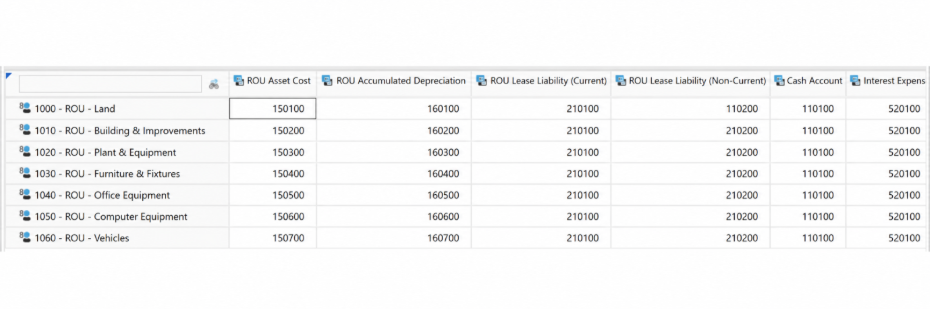
- Account validation during calculation – if a required mapped account does not exist in OneStream, the calculation returns an error instead of posting to an incorrect or missing intersection.
- Checks catch issues early, before output moves into reporting.
Lease modification handling
When assumptions change – monthly payment, lease duration, functional area, country, profit center, or category – users can update the input data and rerun the calculation. The system refreshes lease output based on the latest
assumptions, avoiding the need to rebuild schedules manually outside OneStream. This is especially useful during forecast cycles, budget updates, planning revisions, and month-end lease review activities.
Admin and finance user control
Authorized users can trigger lease calculations for selected parameters such as Scenario, Entity, Profit Center ,Country, and Category, giving finance and admin users more control over routine calculation runs without depending
on backend support each time. The process becomes repeatable, controlled, and easier to execute during planning or reporting cycles.